

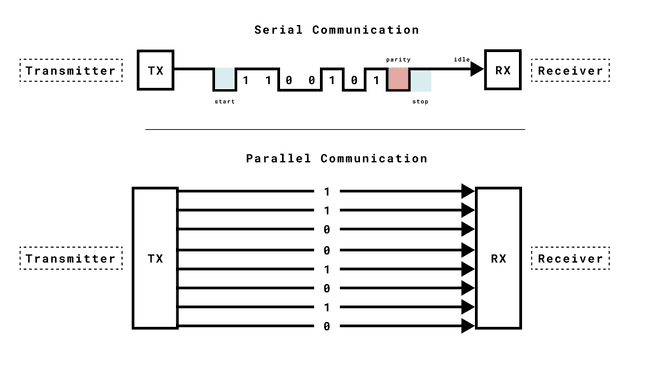
A serial communication protocol for sending serial data over USB or via TX/RX pins.
In this article, you will learn the basics of Universal Asynchronous Receiver-Transmitter (UART), a serial communication protocol that can be used to send data between an Arduino board and other devices. This is the protocol used when you send data from an Arduino to your computer, using the classic Serial.print() method.
UART is one of the most used device-to-device (serial) communication protocols. It’s the protocol used by Arduino boards to communicate with the computer. It allows an asynchronous serial communication in which the data format and transmission speed are configurable. It's among the earliest serial protocols and even though it has in many places been replaced by SPI and I2C it's still widely used for lower-speed and lower-throughput applications because it is very simple, low-cost and easy to implement.
Communication via UART is enabled by the Serial class, which has a number of methods available, including reading & writing data.
Serial Class
With the Serial class, you can send / receive data to and from your computer over USB, or to a device connected via the Arduino's RX/TX pins.
When sending data over USB, we use Serial. This data can be viewed in the Serial Monitor in the Arduino IDE. When sending data over RX/TX pins, we use Serial1. The GIGA R1 WiFi, Mega 2560 and Due boards also have Serial2 and Serial3 The Serial class have several methods with some of the essentials being:
begin() - begins serial communication, with a specified baud rate (many examples use either 9600 or 115200). print() - prints the content to the Serial Monitor. println() - prints the content to the Serial Monitor, and adds a new line. available() - checks if serial data is available (if you send a command from the Serial Monitor). read() - reads data from the serial port. write() - writes data to the serial port.